




Everything inventoried before anything is touched
Users, mailboxes, OneDrive, sites, teams and volume. Read-only.


 Microsoft PartnerLicensing, Azure and consulting in one place.
 LicensingBusiness, Enterprise (E) and Frontline (F) plans.
 SecurityEntra, Defender, Purview, Sentinel and Intune.
 CollaborationTeams, Teams Phone, rooms, SharePoint and Viva.
 Artificial intelligenceMicrosoft 365 Copilot, agents and Foundry.
 AzureMigration, landing zones, backup and costs.
 Migrations to Microsoft 365With Migration Monitor, from Google, SharePoint or another tenant.
 Google WorkspaceGoogle licensing, security and consulting.
 LicensingBusiness, Enterprise and Frontline with Gemini.
 SecurityVault, DLP, context-aware access and devices.
 Gemini and AIGemini in the apps, Gemini Notebook and agents.
 Migration and consultingMigrations with Migration Monitor and Gemini adoption.
 Migration Monitor
Inventory sites, files and permissions before touching anything, map identities in the destination, and only then transfer.
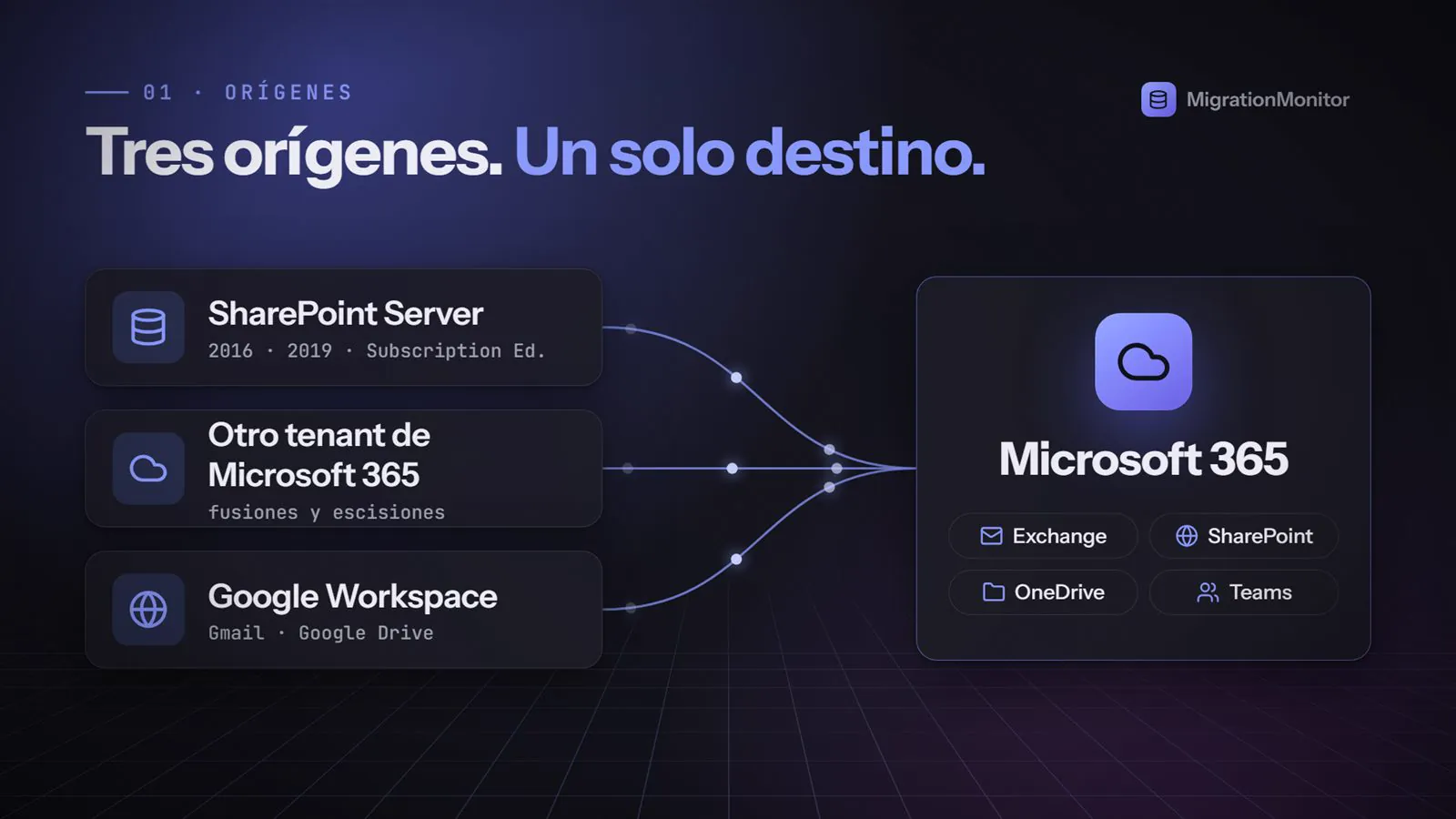
On-premises farms with their sites, libraries and permissions.
Mail, OneDrive, sites and teams between organizations.
Gmail and Drive to Microsoft 365, or between Google domains.
 Exchange
 SharePoint
 OneDriveTeamsGmailDrive and shared drives
 Calendar
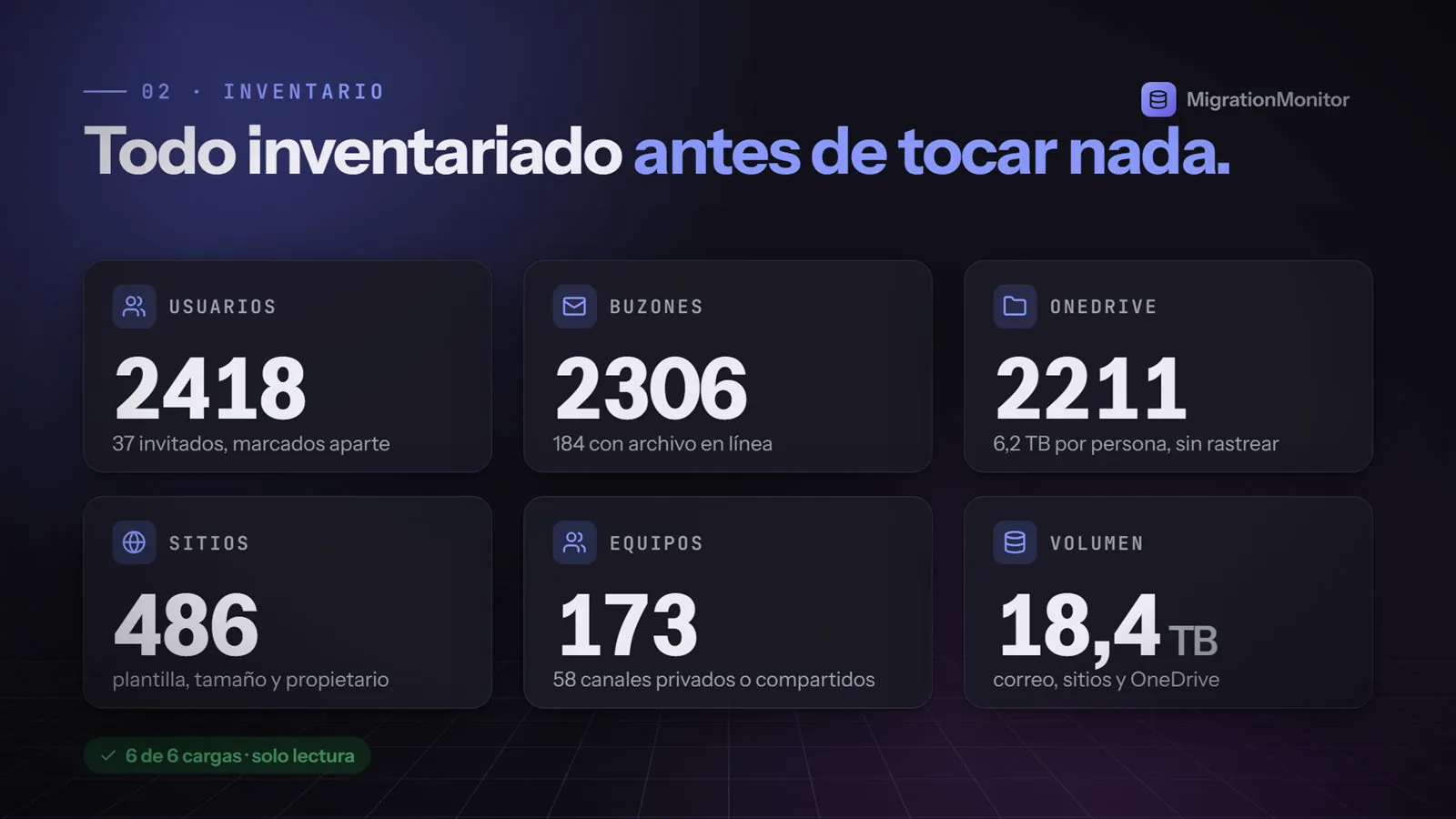
Users, mailboxes, OneDrive, sites, teams and volume. Read-only.

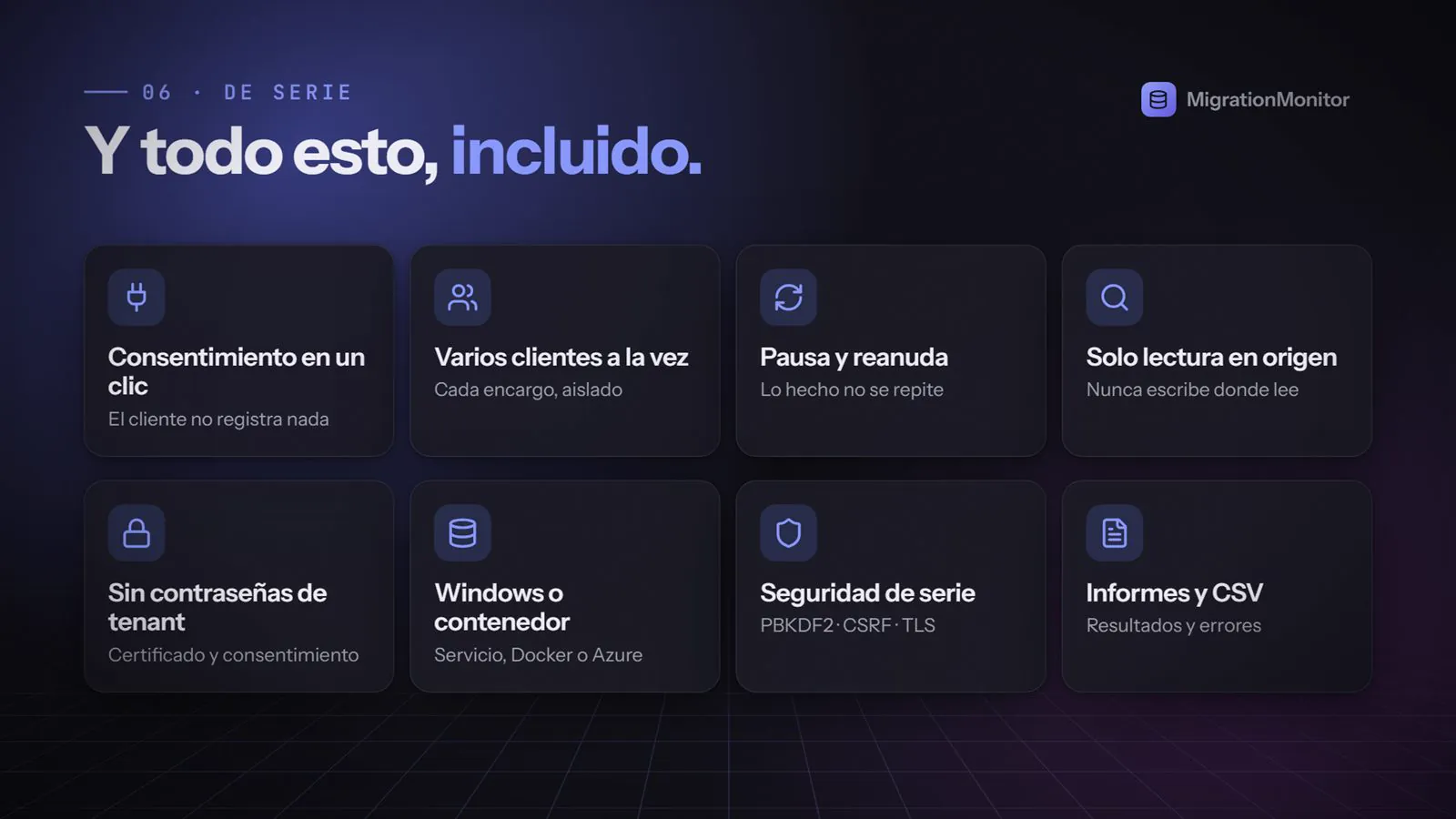
The customer registers nothing. One click, one sign-in and one Accept, per tenant.

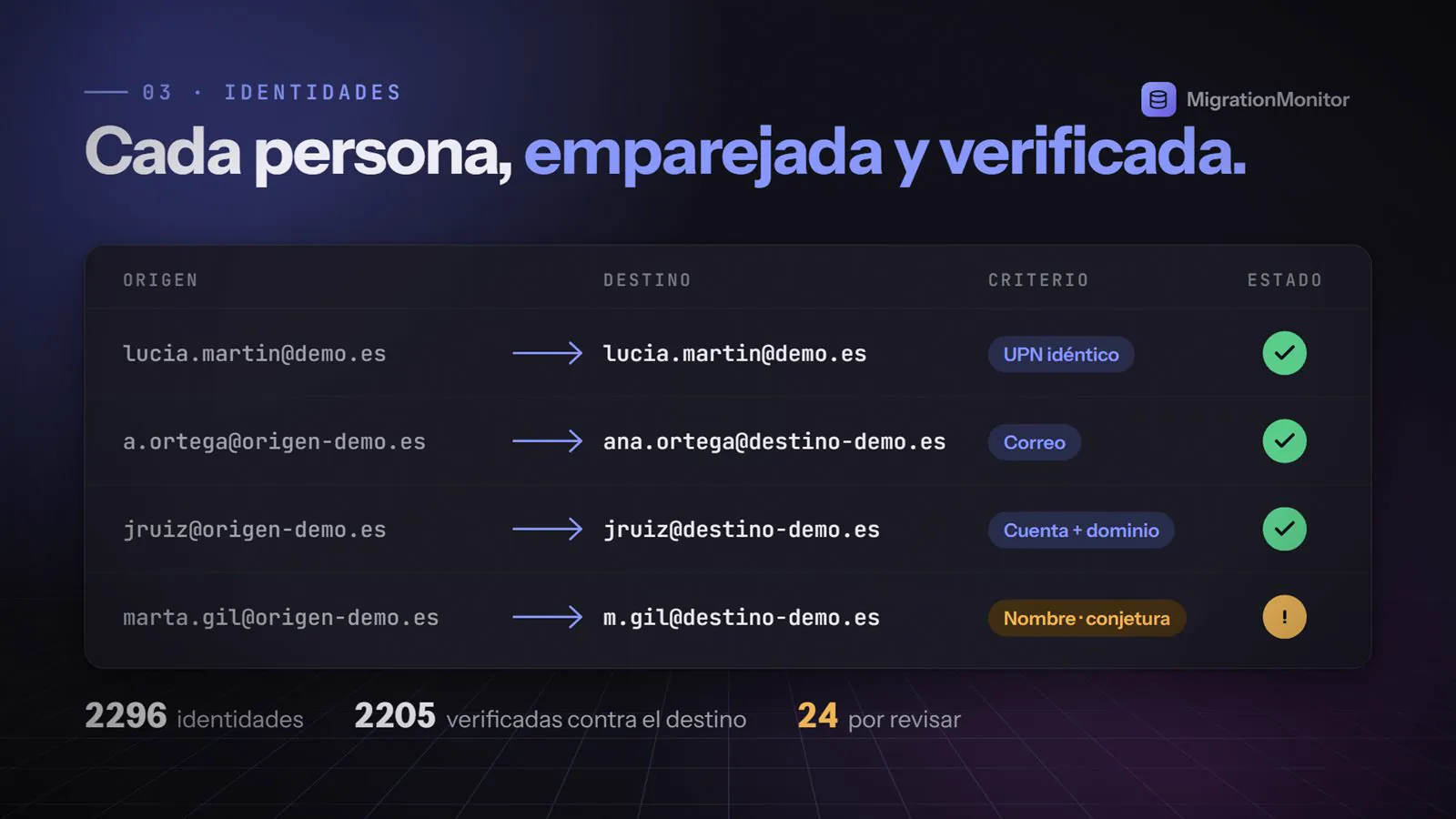
By identical UPN, by account and domain, or by name flagged as a guess. Import and export as CSV.

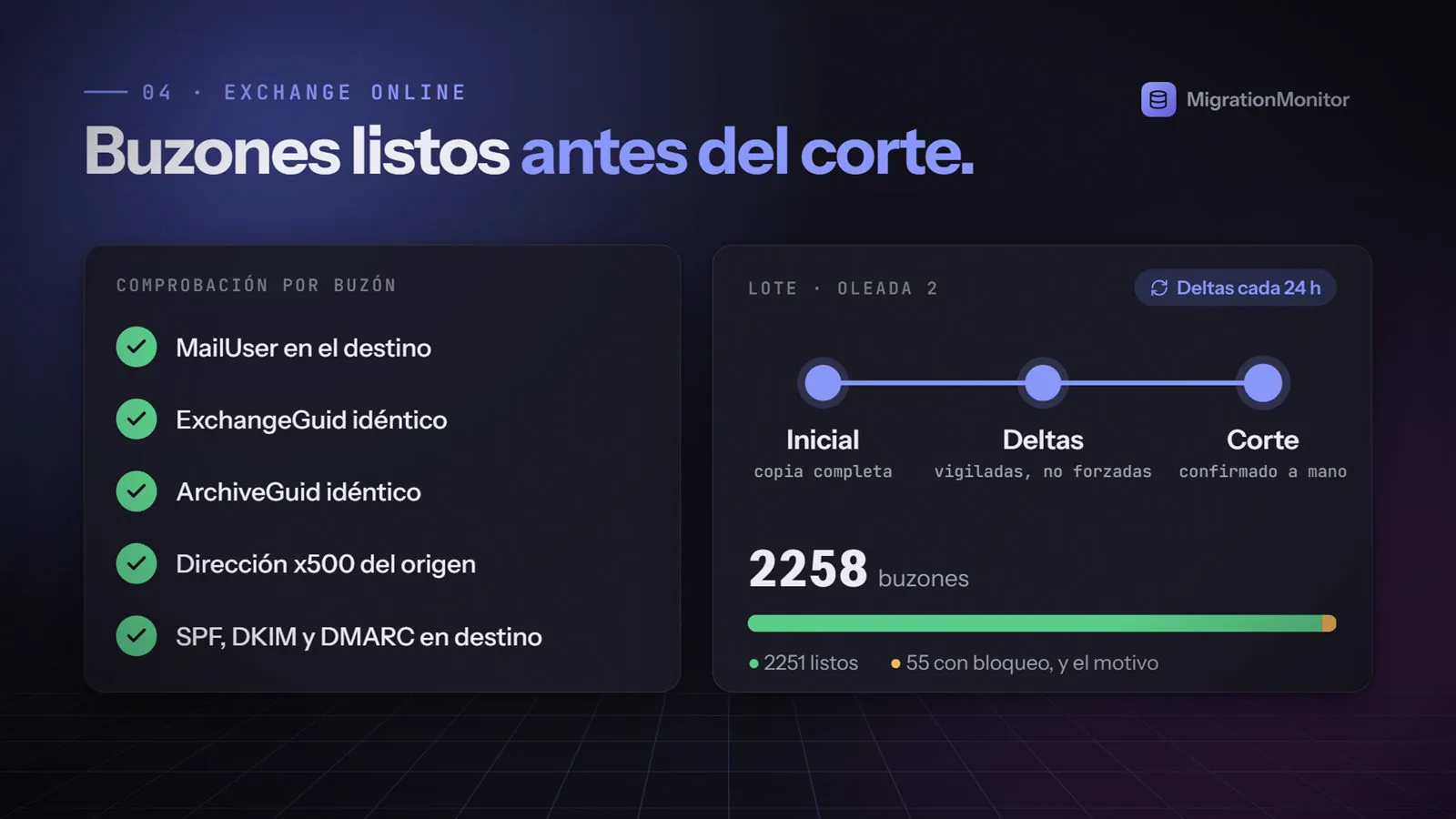
Checks MailUser, ExchangeGuid, ArchiveGuid, x500, plus SPF, DKIM and DMARC. Automatic deltas every 24 hours, with an alert if a mailbox goes more than 36 without a successful pass.

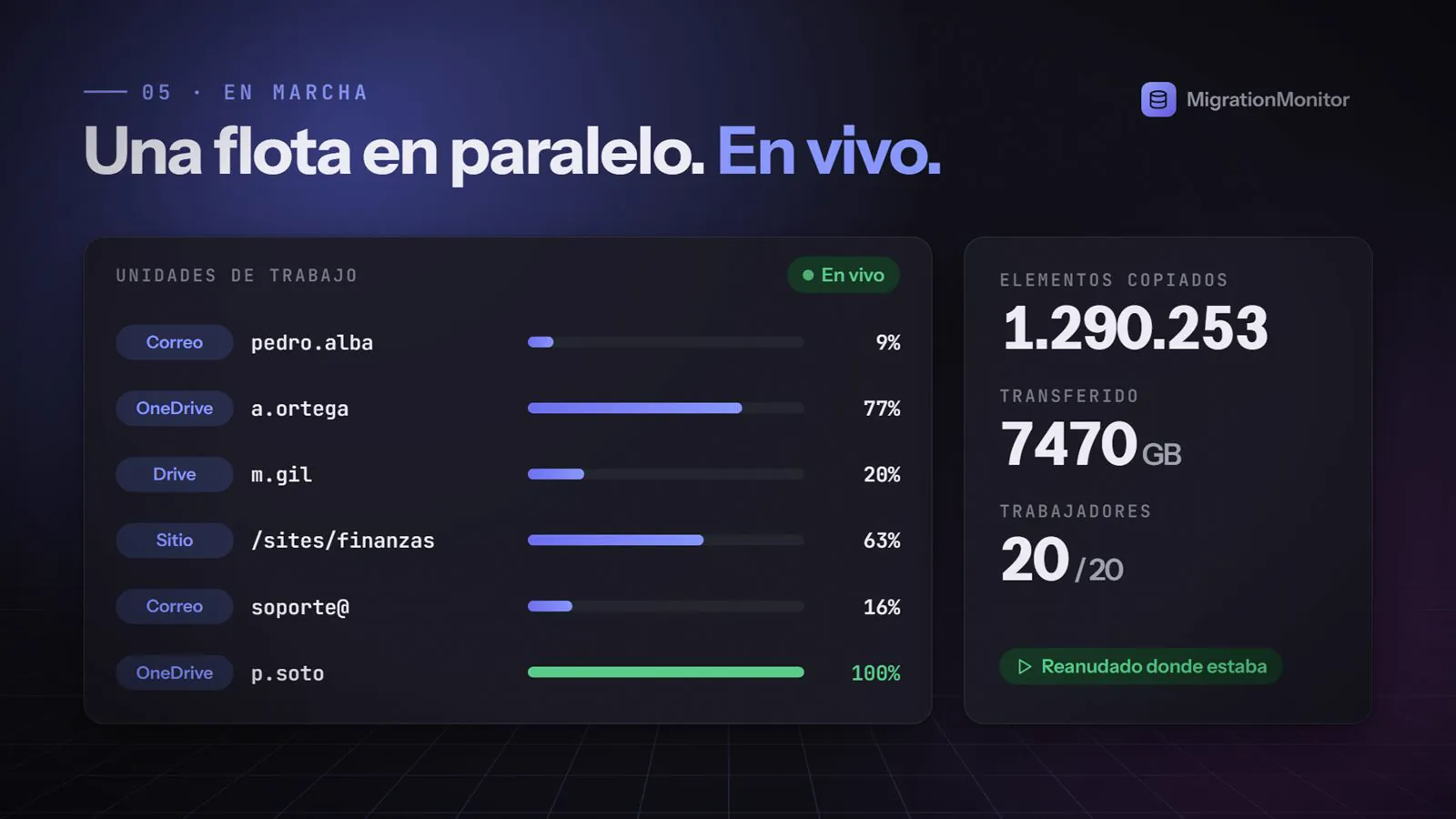
Live progress for each work unit. If the tenant asks it to back off, it waits and resumes where it left off. Completed work is never repeated.

Keeps author, editor, created and modified dates, and permissions with broken inheritance. It never writes where it reads.
AzureCSV reportsRegister the SharePoint farm and the tenants. For a tenant, one consent click is all it takes.
The source is read in read-only mode: sites, libraries, files, permissions and volume.
Match identities with Entra ID and define which site goes to which URL. No resolved identities, no migration.
Live progress, pause and resume, and at the end, reports on everything that was moved.
No. Migration Monitor never writes where it reads: the source is used read-only.
It pauses and resumes where it left off. Anything that already completed successfully is not transferred again.
No. Tenants are connected through consent, and the application ships with PBKDF2, CSRF protection and TLS out of the box.
This version does not migrate workflows, InfoPath, farm solutions or classic web parts. The inventory does detect them so you can plan for them.
With an installation script. The binary is self-contained, with no need for .NET, and runs as a Windows service, in Docker or in Azure.
We show you the inventory of your source before a single file moves.