




Organization-wide search
Files in every OneDrive and SharePoint site, plus email, from a single search box.


 Microsoft PartnerLicensing, Azure and consulting in one place.
 LicensingBusiness, Enterprise (E) and Frontline (F) plans.
 SecurityEntra, Defender, Purview, Sentinel and Intune.
 CollaborationTeams, Teams Phone, rooms, SharePoint and Viva.
 Artificial intelligenceMicrosoft 365 Copilot, agents and Foundry.
 AzureMigration, landing zones, backup and costs.
 Migrations to Microsoft 365With Migration Monitor, from Google, SharePoint or another tenant.
 Google WorkspaceGoogle licensing, security and consulting.
 LicensingBusiness, Enterprise and Frontline with Gemini.
 SecurityVault, DLP, context-aware access and devices.
 Gemini and AIGemini in the apps, Gemini Notebook and agents.
 Migration and consultingMigrations with Migration Monitor and Gemini adoption.
 SearchPilot
Search files and email across your organization, create eDiscovery cases, and purge a phishing email from every mailbox.
 Microsoft Purview
 Entra ID with MFA
 OneDrive
 SharePoint
 Exchange Online
Azure Key Vault
Exchange Online
Azure Key Vault
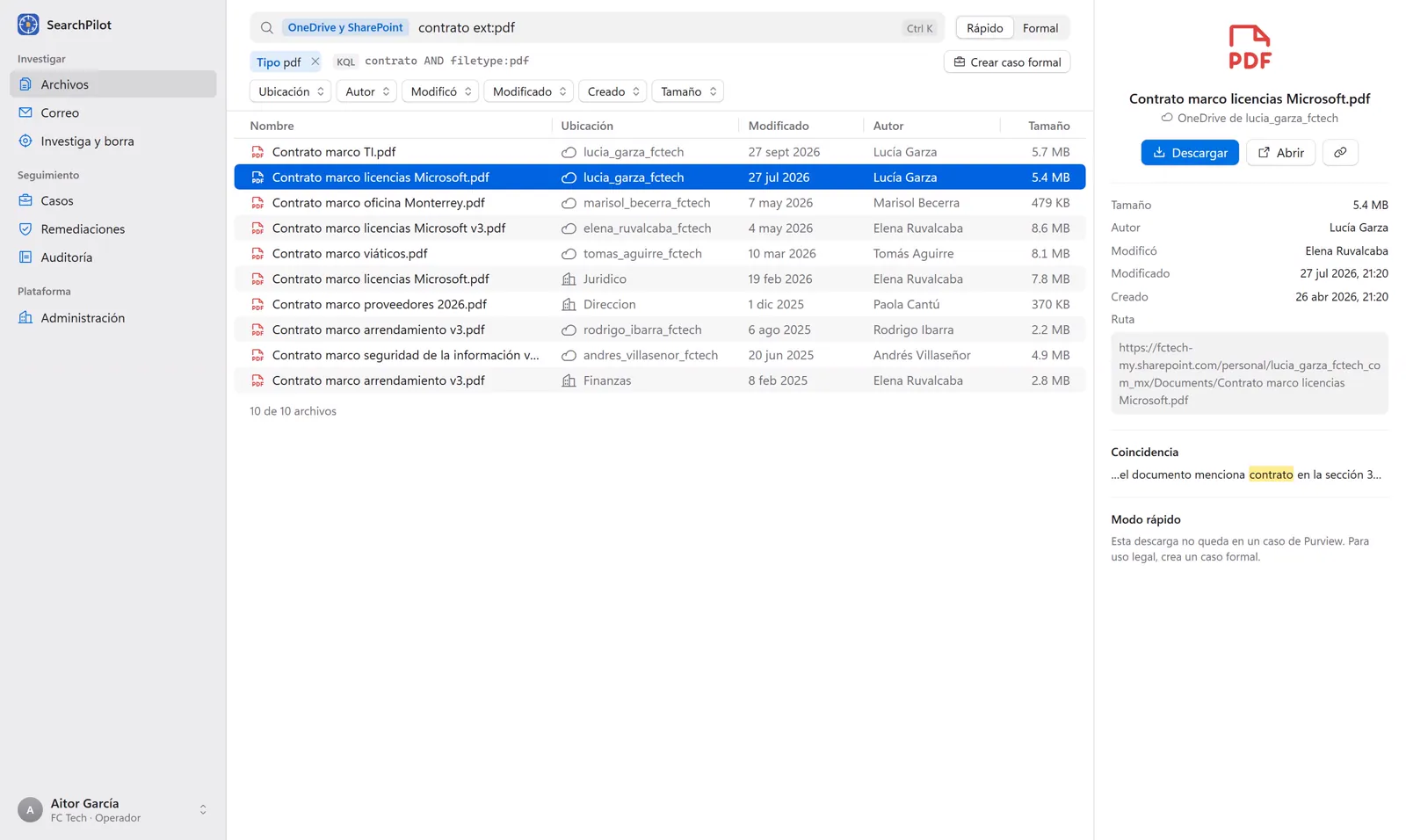
Type what you are looking for and narrow it down with filters for location, author, last modified by, dates, and size. Results arrive in seconds and you download with one click.
contract ext:pdf since:2026-01
Files in every OneDrive and SharePoint site, plus email, from a single search box.

The app always shows which mode you are in.
Quick to find things. The download is not recorded in a Purview case.

The actual query that runs stays visible for auditing.
contract AND filetype:pdf

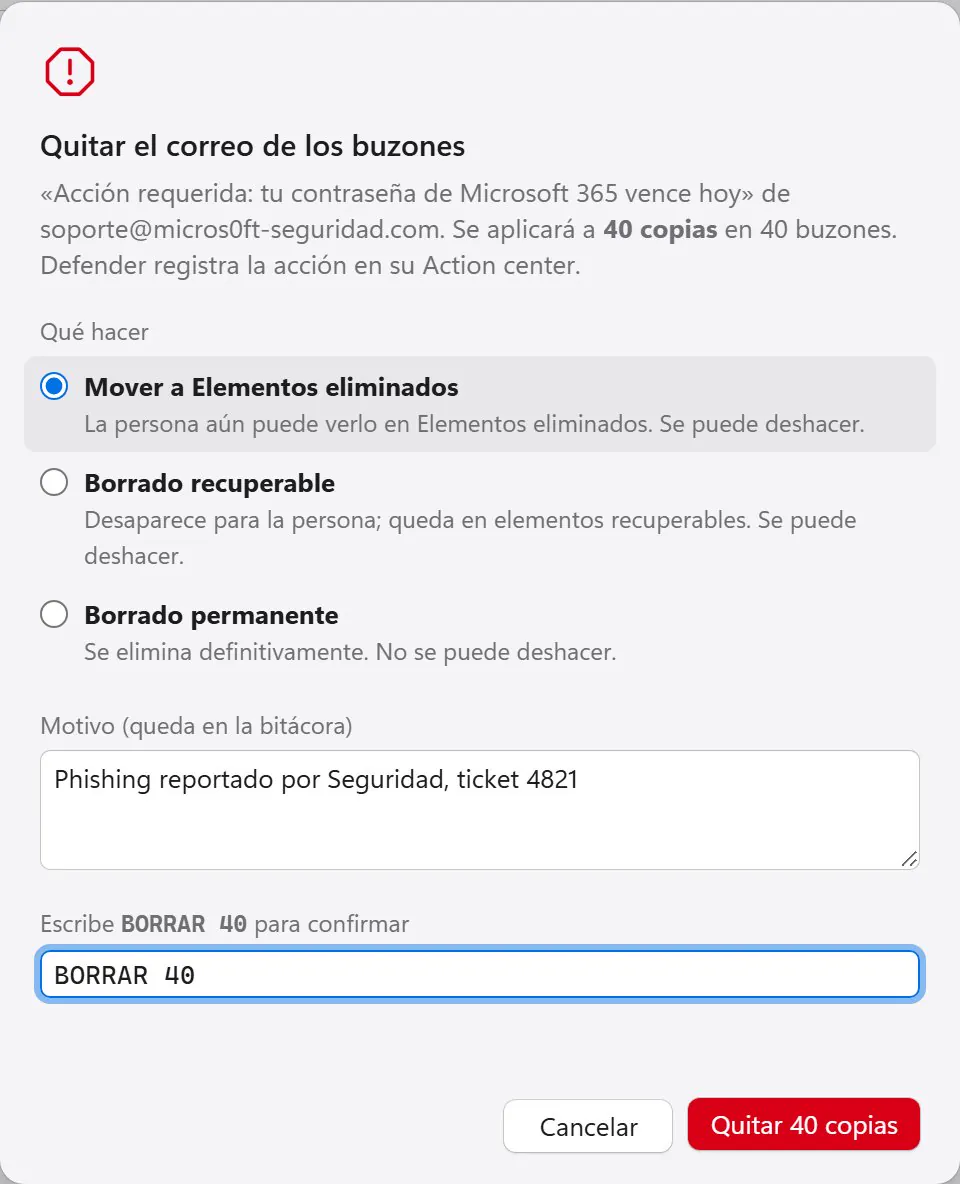
Enter the sender or subject, see who received it, and remove it from every mailbox at once. A reason is required, plus typed confirmation, with an option to undo.

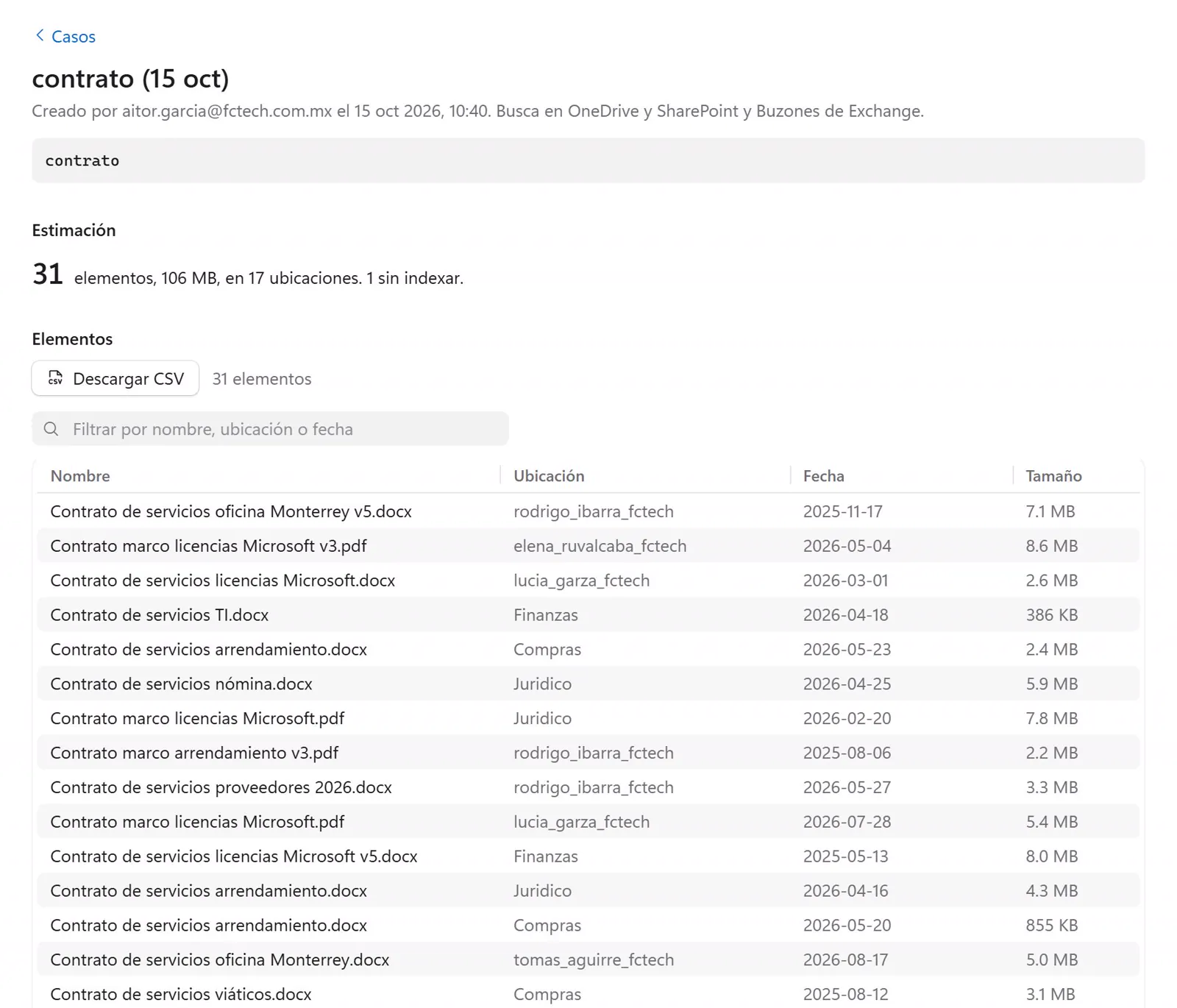
Create the case from the search. Estimate, review items, export, and purge without switching screens.

Each organization signs in with its own Microsoft account and sees only its own data. You decide who operates and who only reviews.
Access through Entra ID and MFA. Your organization stays isolated and is verified on every request.
Such as contract ext:pdf since:2026-01, then narrow it down with filters for location, author, and dates.
Preview with metadata and highlighted matches. Download with one click.
The same search becomes a formal eDiscovery case with chain of custody.
For Microsoft 365 information governance and compliance admins who know the platform but do not want to write KQL or click through wizards every time someone needs a file today.
In Quick mode, the download is not recorded in a Purview case. When you need legal standing, switch to Formal mode and the search becomes an eDiscovery case with chain of custody.
Who signed in, what they searched, reviewed, downloaded, or deleted, when, and why. The audit log is per organization and exports to CSV.
You sign in with Entra ID and MFA. Each organization is isolated and verified on every request, and secrets are stored in Azure Key Vault.
Yes. Removal requires a reason and typed confirmation, and offers an option to undo.
We will show you SearchPilot with a real case from your organization.