







Consulting

We assess and implement your cloud

Assessments with prioritized findings, plus Microsoft 365, Azure and Google Workspace implementations by certified specialists.

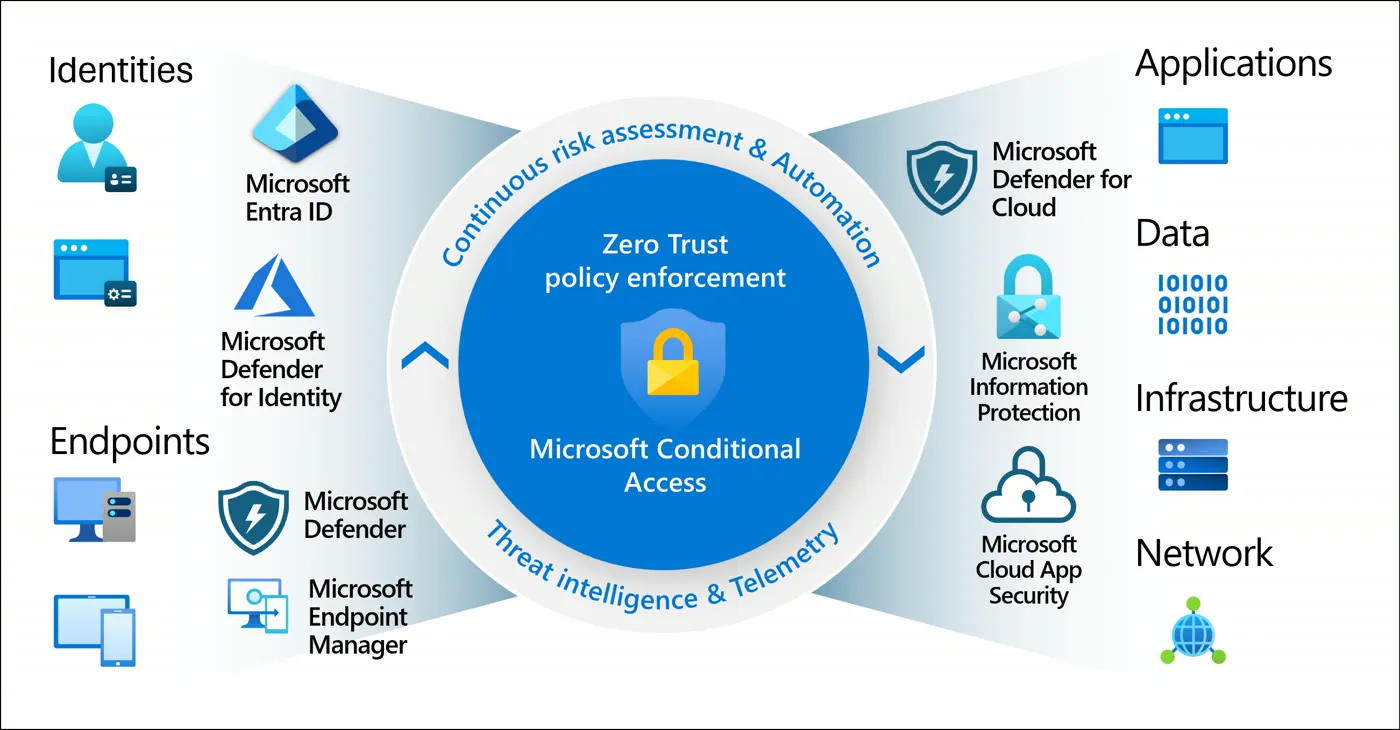
Microsoft Entra Conditional Access: signals, decisions and enforcement

Assessments: know where you stand before you invest

Every assessment ends in a report with findings ranked by risk and a work plan with timelines.

Microsoft 365 security

We review your tenant against Microsoft baselines and the Zero Trust model, with evidence for every setting.

Secure ScoreMFA and Conditional AccessPrivileged accountsDefender for Office 365Devices in IntuneExternal sharing

Deliverable: Findings ranked by risk and a remediation plan.

Request a proposal
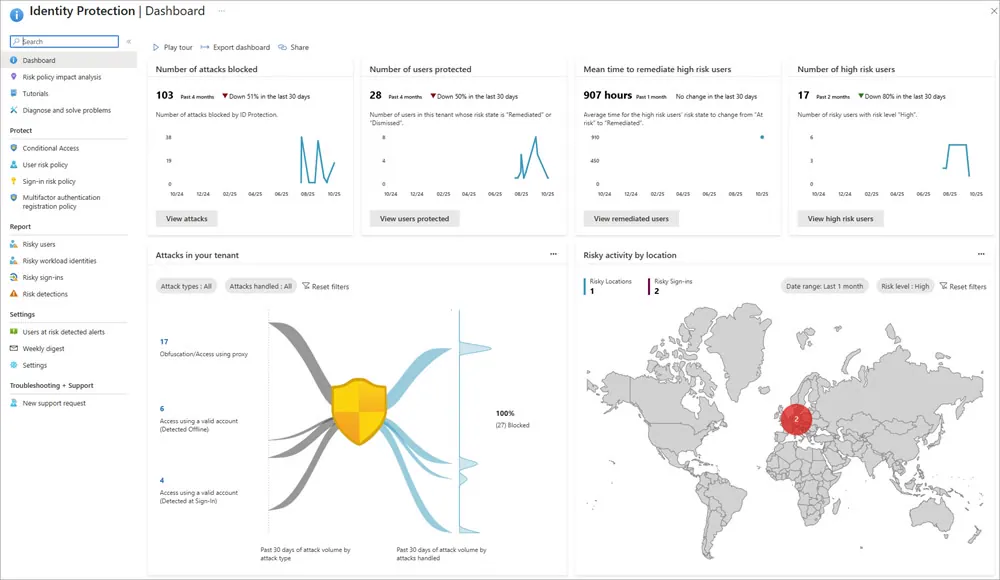
Microsoft Entra ID Protection dashboard

Azure security

We measure your subscriptions with Defender for Cloud and the security pillar of the Well-Architected Framework.

Defender for Cloud secure scoreMicrosoft Cloud Security BenchmarkIdentities and RBACNetworking and public exposureKey Vault and encryptionBackup and recovery

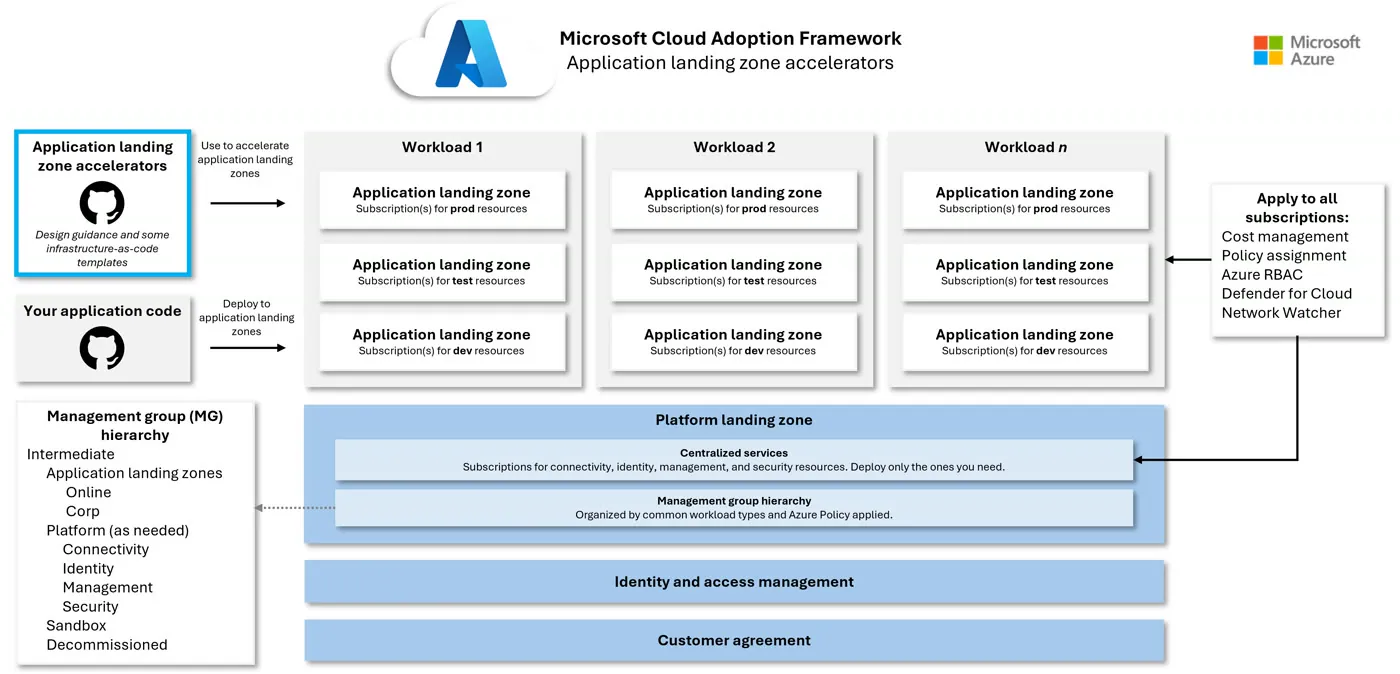
Deliverable: Gaps against a reference landing zone (Cloud Adoption Framework) and a roadmap.

Request a proposal
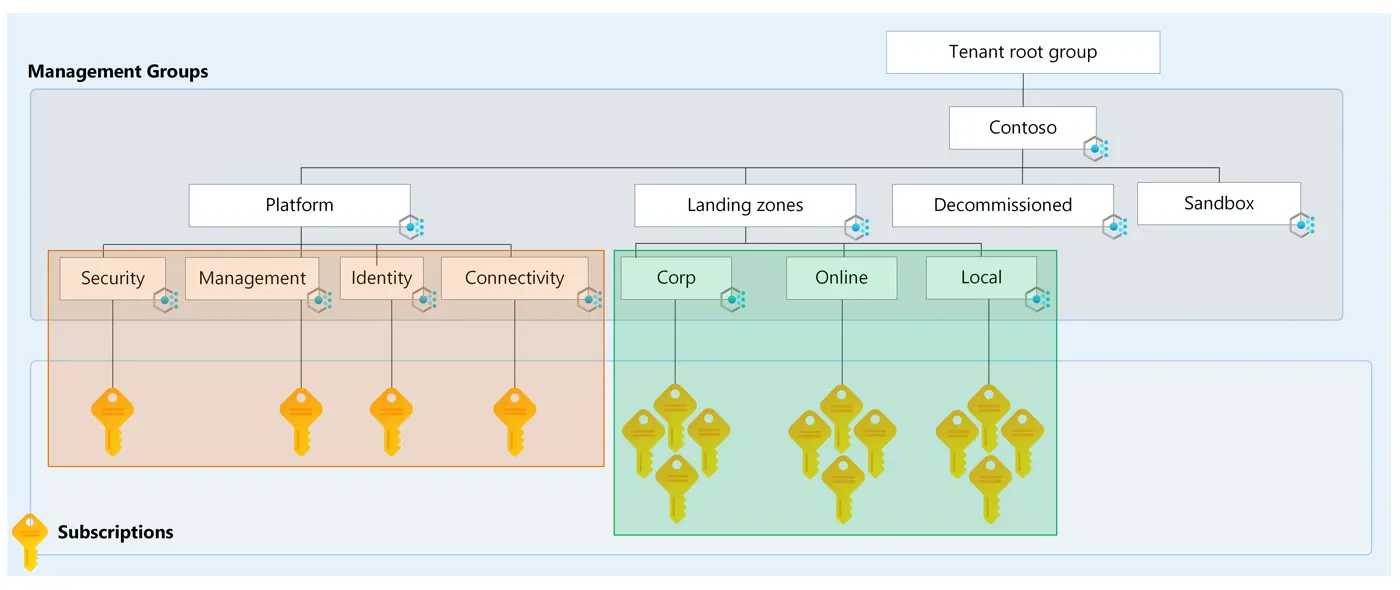
Management groups and subscriptions in an Azure landing zone

Information governance with Purview

We find where your sensitive information lives, who can access it and how it leaves the organization.

Data classificationSensitivity labelsData loss prevention (DLP)Retention and recordsAudit and eDiscoveryInsider risk

Deliverable: A map of sensitive information and a labeling model ready to roll out.

Request a proposal
Padlocks on a keyboard

Copilot readiness

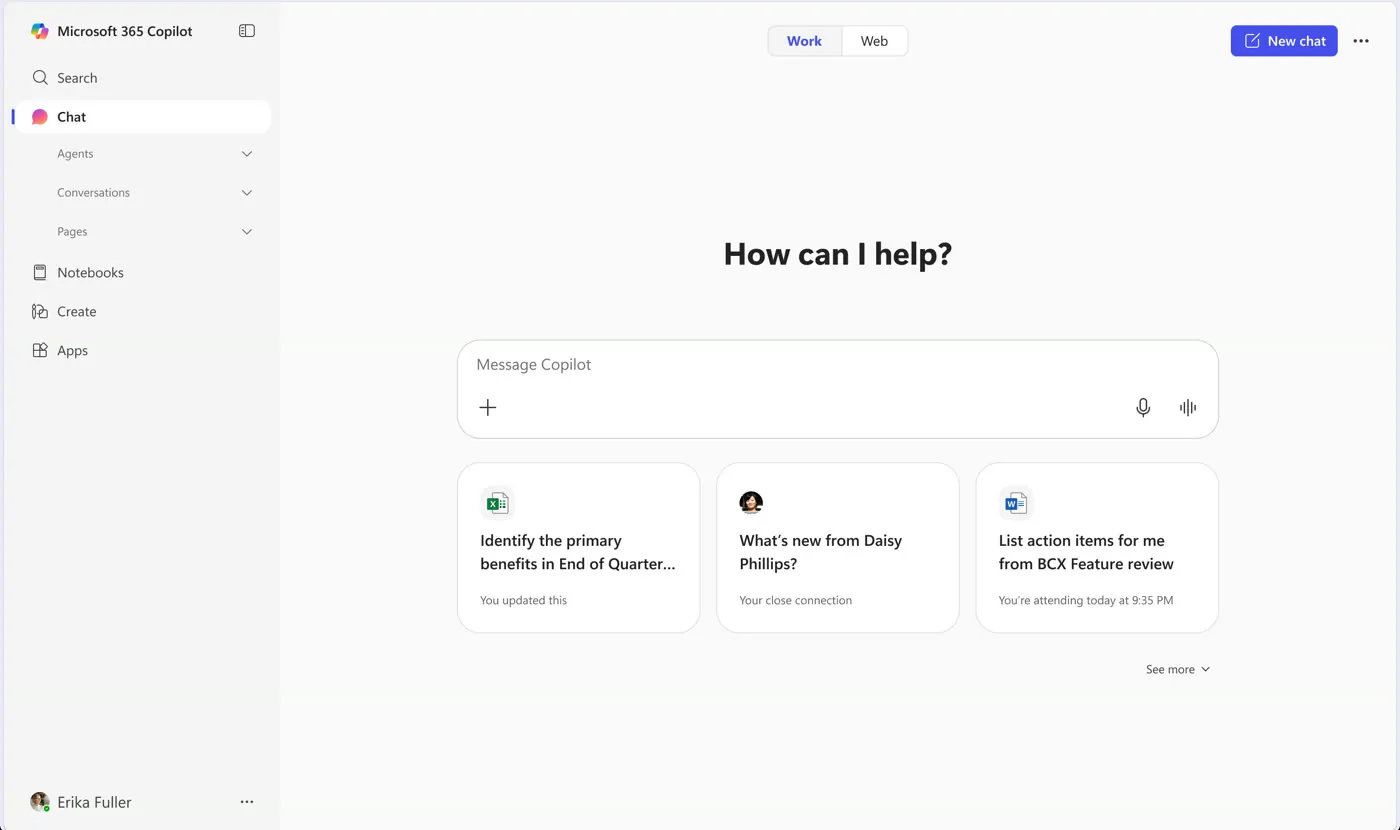
Before assigning licenses we review what Copilot will be able to see and where it adds value.

Oversharing in SharePoint and OneDrivePermissions and sharing linksLabels and DLP for CopilotDSPM for AI in PurviewLicensingUse cases by team

Deliverable: Permission remediation, a pilot plan and adoption metrics.

Request a proposal
Microsoft 365 Copilot app

We implement Microsoft 365 security

With the tools your license already includes, configured and documented.

Identity

Microsoft Entra ID

Phishing-resistant MFA, single sign-on and user lifecycle.

Business Premium, E3 and E5

Conditional Access

Policies by user, device, location and risk, tested in report-only mode before going live.

Entra ID P1

ID Protection and PIM

Risky sign-ins blocked and admin privileges granted only when needed.

Entra ID P2

Devices

Microsoft Intune

Enrollment, compliance, BitLocker encryption and managed apps on Windows, Mac, iOS and Android.

Business Premium, E3 and E5

Windows Autopilot

Devices ship from the factory and set themselves up at first sign-in.

With Intune

Defender for Endpoint

Endpoint detection and response, attack surface reduction and remote isolation.

Business Premium and E5

Information

Purview labels and DLP

Sensitivity labels with encryption and rules that stop information leaving by email, Teams or USB.

E3 and E5

Retention and eDiscovery

Retention policies, audit and searches for legal cases or internal investigations.

E3 and E5

Insider risk

Detects data leaks from departing staff and unusual activity.

E5 or add-on

Threats and access

Defender for Office 365

Protection against phishing, malicious files and links, with attack simulations.

Business Premium and E5

Defender XDR and Sentinel

Correlated incidents across identity, email, devices and cloud, with alerts and automated response.

E5 and Azure

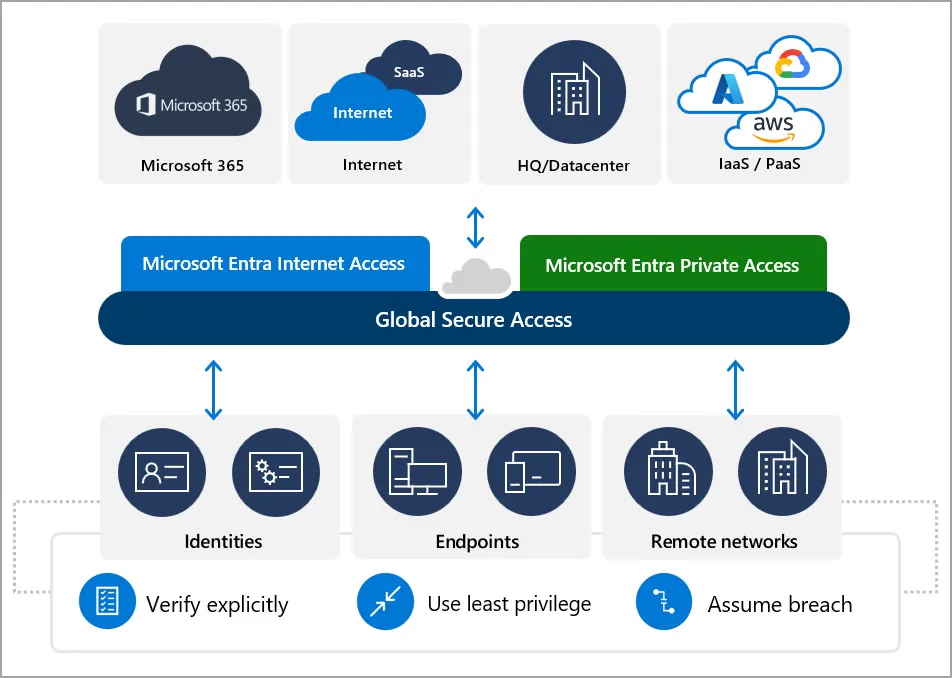
Global Secure Access

Entra Internet Access and Private Access: Zero Trust access to internal apps without a VPN.

Entra Suite

Azure implementations

Azure landing zones (Cloud Adoption Framework)

Your servers in Azure, built right from day one.

A landing zone with governance, networking and security; server migration with Azure Migrate and continuity with backup and recovery.

  • Landing zones
  • Azure Migrate
  • Virtual machines
  • Virtual networks
  • Azure Backup
  • Site Recovery
  • Azure Virtual Desktop
Request a proposal
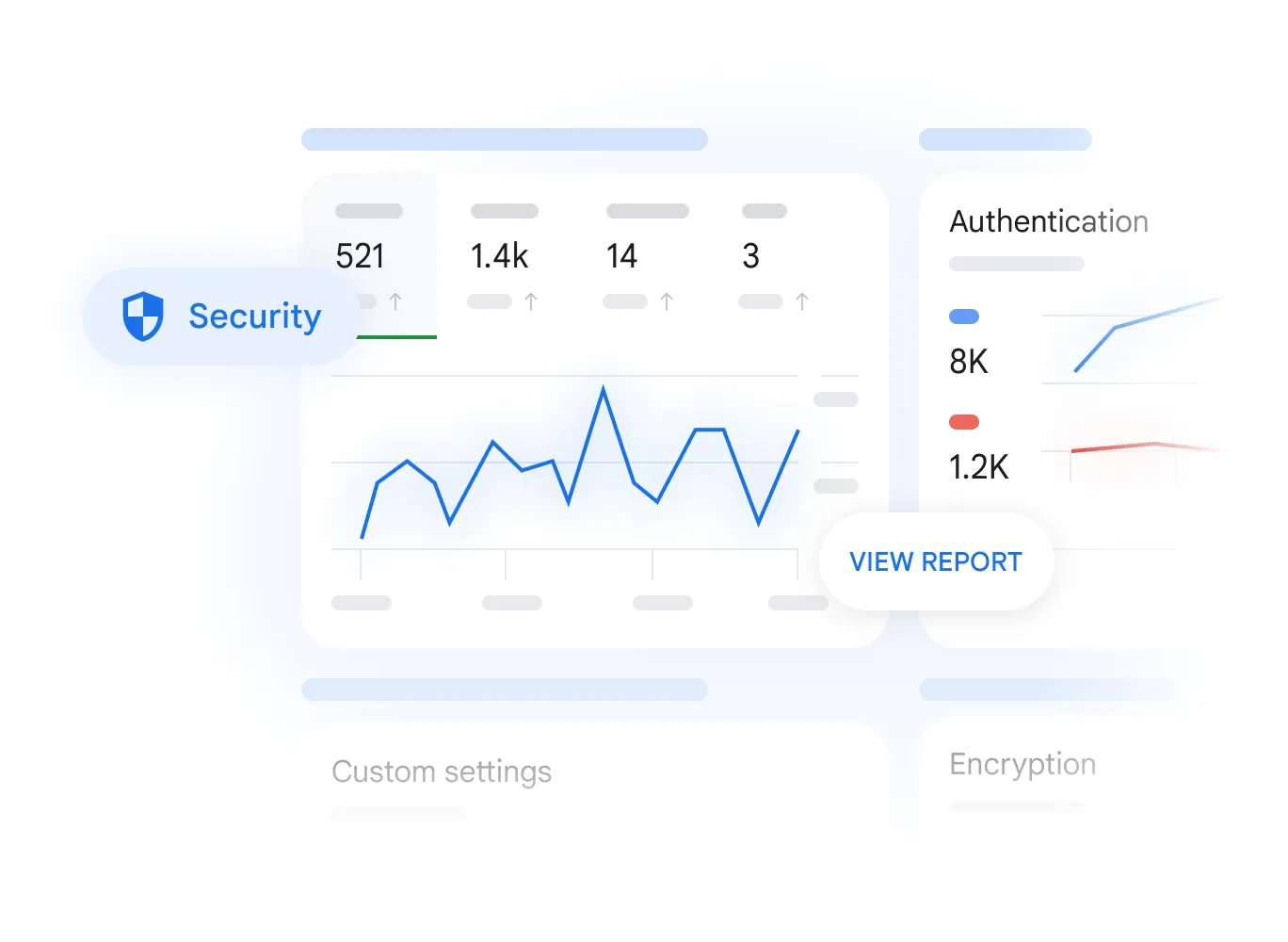
Security in the Google Workspace admin console

Google Workspace implementations

Rollout and domain

Domain setup, organizational units, groups and policies by team.

Security

2-step verification with security keys, context-aware access, DLP, Vault and device management.

Gemini

Enablement by team with data controls and training on real use cases.

Migration

From Microsoft 365 or other sources with Migration Monitor, our own platform.

See Google Workspace

How we work

Assess

Evidence-based review that leaves your operation untouched.

Design

Architecture and plan agreed with you.

Implement

In stages, with testing and documentation.

Support

Adoption, training and ongoing help.

Frequently asked questions

Does an assessment change anything in my tenant?

No. We use read-only permissions and native Microsoft reports. Changes come later, during implementation, with your approval.

How long does an assessment take?

Usually one to three weeks, depending on the number of users, subscriptions and services in scope.

Do I need E5 licenses?

No. We review what your current license allows and only recommend more when it adds real value.

Do you work with Google Workspace and Microsoft at the same time?

Yes. Many companies use both; we integrate them or migrate between them with Migration Monitor.

Start with an assessment

We tell you what is fine, what to fix first and how long it would take.