













Deploy Monitor: your Microsoft 365 security in 1 week, not 6
Tenant and Active Directory assessment, design against MCRA and Zero Trust, and deployment with a plan, approval and an audit log.
Implementing the security baseline for a Microsoft 365 tenant usually takes about six weeks of interviews, screenshots, spreadsheets and design documents that get rewritten every week. Deploy Monitor cuts that down to one.
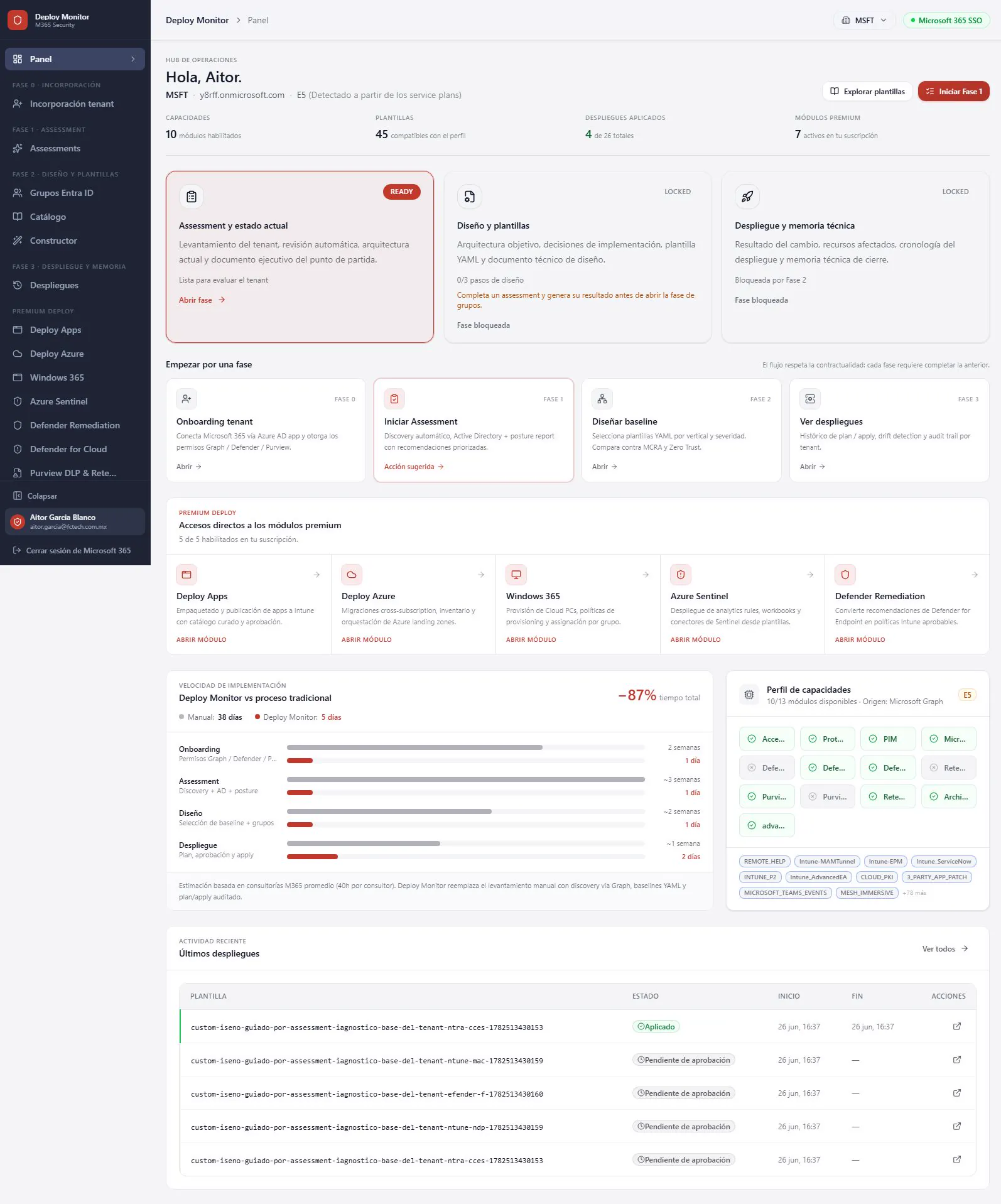
Four phases, each one unlocks the next
- Onboarding: connect the tenant with a single consent flow for Graph, Defender and Purview.
- Assessment: automated scan of licenses, capabilities, gaps and identity, data and endpoint posture, plus GPOs and hybrid identity in Active Directory.
- Design: YAML baselines by industry (healthcare, finance, banking, education, retail, manufacturing and government) compared against MCRA and Zero Trust.
- Deployment: dry-run plan, approval and apply, with a full audit trail and drift detection.
Evidence without manual write-ups
The prioritized implementation roadmap and the audited design are generated from the real tenant. Nothing is applied without approval, and every change is versioned.
Modules to go further
Deploy Apps for Intune, Windows 365, Azure Sentinel, migrations between Azure subscriptions and Defender Remediation, which turns Defender for Endpoint recommendations into Intune policies ready for approval.
Come see it at Microsoft Frontier Tour Mexico City.